Creative people use technology in many ways: to make images, build objects, share memories, or improve a home workspace. This guide brings together 13 options across different interests and budgets.
Check the recipient’s devices, space, and preferred activities before choosing. Some gifts are ready to use on their own; others work best with compatible equipment or apps.
Tech Christmas Gifts for Creative People
1. Deco 7 Pro Wi-Fi 7 Mesh System
A Whole-Home Connectivity Upgrade
Deco 7 Pro Wi-Fi 7 Mesh System

- Three-unit mesh system is listed to cover up to 7,600 square feet.
- Wi-Fi 7 tri-band system includes four 2.5G WAN/LAN ports and a 10G WAN/LAN port.
- Deco app supports setup and network management; a separate modem is required.
Best For: A household with many connected devices or someone working from home.
2. FLASHFORGE Adventurer 5M 3D Printer
For Hands-On Makers
FLASHFORGE Adventurer 5M 3D Printer

- Automatic bed leveling is designed to simplify first-layer setup.
- CoreXY printer lists a maximum travel speed of 600 mm/s and a 220 × 220 × 220 mm print area.
- Includes app-based progress monitoring and a quick-change nozzle design.
Best For: A maker, engineer, or creative who enjoys prototyping objects.
3. soundcore Nebula P1i Portable Projector
A Shareable Screen for Movie Nights
soundcore Nebula P1i Portable Projector
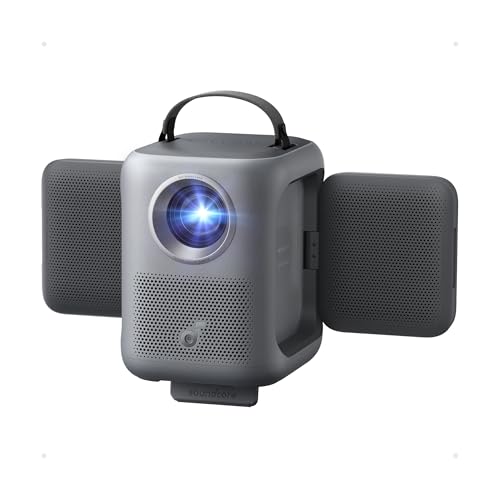
- Displays Full HD 1080p images and includes Google TV access.
- Its two 10-watt speakers can be repositioned to direct sound.
- Autofocus, auto keystone correction, obstacle avoidance, and screen fit support setup.
Best For: Someone who enjoys films, presentations, or sharing visual work at home.
4. AEEZO 10.1-Inch Digital Picture Frame
A Frame for Shared Memories
AEEZO 10.1-Inch Digital Picture Frame

- 10.1-inch IPS touchscreen has 1280 × 800 resolution and adjustable brightness.
- Built-in 32GB storage holds photos, and the frame supports importing files from an SD card.
- AiMOR app lets invited family and friends send photos to the frame.
Best For: A relative or friend who enjoys changing family, travel, or art photos.
5. Amazfit Bip Max Smart Watch
For Active Days and Routes

- Features a 2.07-inch AMOLED display and built-in GPS.
- Zepp app offers downloadable maps, route directions, and more than 150 sports modes.
- The product lists up to 20 days of typical-use battery life.
Best For: An active person who likes workout tracking and navigation on the go.
6. EPOMAKER × Aula F75 MAX Mechanical Keyboard
A Customizable Desk Upgrade
EPOMAKER × Aula F75 MAX Mechanical Keyboard

- Compact 75% layout has 80 programmable keys, a display, and a volume knob.
- Connects by Bluetooth, 2.4 GHz wireless, or USB-C and supports PC, Mac, and Linux.
- Hot-swappable design, RGB lighting, and key remapping support personalization.
Best For: Someone who types often or enjoys customizing a computer setup.
7. ZWO Seestar S30 Pro Smart Telescope
A New Way to Explore the Night Sky
ZWO Seestar S30 Pro Smart Telescope
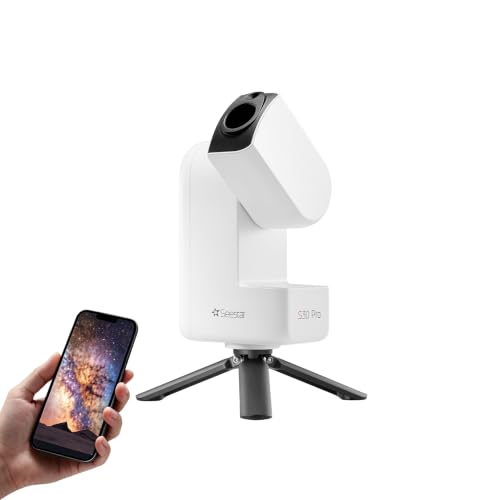
- App-controlled telescope uses automatic targeting and tracking for celestial objects.
- Imaging modes include deep sky, Moon, Sun, Milky Way, and star trails.
- Portable design weighs about 3.64 pounds; product notes say to keep it stationary during deep-sky imaging.
Best For: A curious stargazer interested in app-guided astronomy and astrophotography.
8. Nikon Z50 II Camera with Two Lenses
For a Growing Photography Practice
Nikon Z50 II Camera with Two Lenses

- Mirrorless camera has a 20.9-megapixel DX-format sensor and built-in color presets.
- Includes NIKKOR Z DX 16–50mm and 50–250mm lenses.
- Records 4K UHD/60p video and can share images through the Nikon SnapBridge app.
Best For: A photographer or visual artist documenting projects, travel, or events.
9. JBL FLIP 5 Bluetooth Speaker
Portable Sound for Home or Outdoors

- Streams audio wirelessly over Bluetooth and lists up to 12 hours of playtime.
- Waterproof design suits listening near a pool, at the beach, or outdoors.
- PartyBoost can pair multiple compatible speakers.
Best For: Someone who listens to music around the home or while traveling.
10. Anker 8-in-1 USB-C Docking Station
A More Connected Laptop Workspace
Anker 8-in-1 USB-C Docking Station

- Adds two HDMI ports, Ethernet, two USB-A data ports, and microSD/SD card readers.
- Supports one external display at up to 4K/60Hz or two at up to 4K/30Hz.
- Pass-through charging supports up to 85W; a 100W charger and USB-C cable are required.
Best For: A laptop user building a home or studio workstation.
11. Beats Studio Pro Wireless Headphones
Focused Listening for Work and Travel
Beats Studio Pro Wireless Headphones
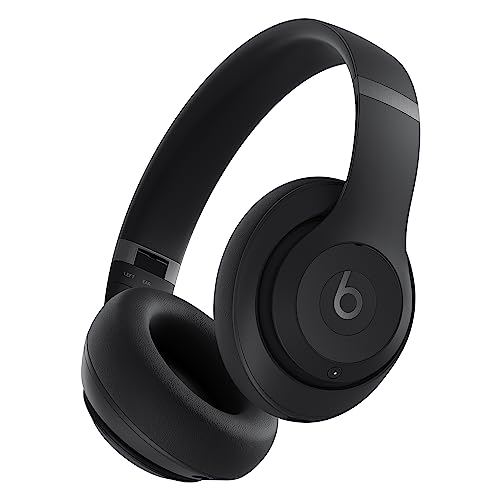
- Active noise cancelling and Transparency mode offer different listening options.
- USB-C lossless audio and a 3.5 mm cable provide wired listening choices.
- Product lists up to 40 hours of battery life and compatibility with Apple and Android.
Best For: A commuter, music listener, or creative who wants focus during work sessions.
12. HP 15.6-Inch FHD Touch Laptop
A Computer for Study and Creative Work
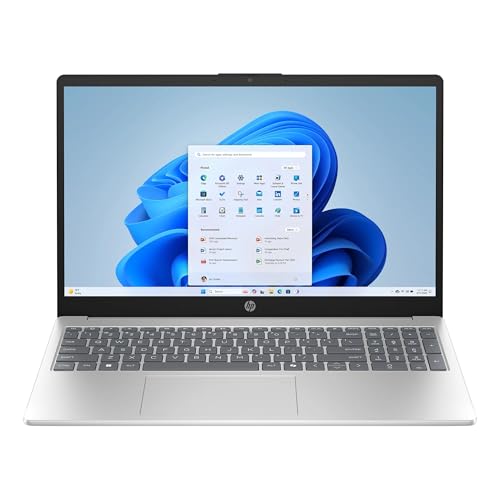
- Features an AMD Ryzen 7 7730U processor, 16GB RAM, and a 512GB SSD.
- 15.6-inch FHD IPS touchscreen has 1920 × 1080 resolution.
- Windows 11 Home, a webcam, USB ports, and HDMI are included.
Best For: A student or creative who needs a Windows laptop for everyday work.
13. Xencelabs Pen Display 16 Bundle
A Portable Digital Art Studio
Xencelabs Pen Display 16 Bundle

- 16-inch 4K OLED display is designed for drawing and design work.
- Bundle includes two battery-free pens and Quick Keys with customizable shortcuts.
- Works with Windows, macOS, and Linux and includes a protective carrying case.
Best For: An illustrator or designer who creates digital artwork.
Choosing a Tech Gift for a Creative Person
Start with what the recipient already likes to do. A digital artist may appreciate a pen display that puts drawing directly on screen, while a hobbyist who enjoys making physical objects may get more from a 3D printer. A photographer can explore a camera with interchangeable lenses; a stargazer may enjoy a telescope that helps locate and capture celestial subjects. For someone whose technology supports their work rather than being the work itself, a laptop, docking station, mesh network, keyboard, or headphones may improve everyday routines.
Think about how much setup the recipient enjoys. Some people like learning new software, adjusting settings, and trying different tools. Others prefer a simple way to display photos or watch films. The digital frame, for example, can receive images through an app, while the projector includes Google TV and automatic picture adjustments. A 3D printer and drawing display offer more creative control, but also call for a suitable workspace and compatible devices.
Set a Budget Around the Whole Gift
Prices can vary, so consider the full setup rather than the main device alone. A camera recipient may want memory cards or a carrying solution. A docking station may require a compatible USB-C laptop and, for pass-through charging, a separate 100W wall charger and USB-C cable. A 3D printer involves materials for projects, while a digital drawing setup may benefit from a computer that can run the recipient’s preferred creative applications.
For a more modest gift, practical accessories can still feel personal when they match a daily habit. A Bluetooth speaker suits someone who listens to music in several places. A keyboard can make a desk feel more tailored. Headphones can support commuting, calls, or focused listening. If you are considering a larger purchase, check the recipient’s existing devices and workspace first; a technically impressive gift is most useful when it fits into their routine.
Check Compatibility and Personalization
Before choosing, confirm the recipient’s computer, phone, and operating system. The Xencelabs display supports Windows, macOS, and Linux, while the Anker dock is listed for Windows, ChromeOS, and compatible USB-C systems but not Linux. Its macOS dual-monitor mode mirrors the same image on both external displays. The mechanical keyboard supports PC, Mac, and Linux, and the Beats headphones pair with Apple and Android devices.
Also consider physical and network requirements. The Deco mesh system requires a modem and space for its units. The projector needs an internet connection and Google account for initial Google TV setup. For the telescope, think about whether the recipient has a steady place to set it up and a clear view of the sky. Digital frames are especially suited to shared family photos, but the giver can make the gift more personal by preparing a first collection of images with permission.
Timing and Last-Minute Decisions
For a Christmas gift that needs setup, allow time to check compatibility and gather any required cables, chargers, apps, or creative materials. This is especially useful for computer peripherals, cameras, printers, and connected home equipment. A recipient may appreciate a short note explaining what device or software the gift works with, especially if the product depends on USB-C, a specific operating system, or an app.
If time is short, choose based on a clear existing interest and keep the plan simple. A speaker, headphones, or digital frame can be easy to understand as a gift; a larger creative tool may call for a conversation about workspace and compatibility. Avoid promising a particular delivery date or assuming a product will arrive in time. When you are uncertain, a printed card describing the intended gift and why it suits the person can preserve the surprise while leaving setup details to sort out together.
